Saturday night the counter is happy. The tickets moved, the UPI landed, the kitchen stayed ahead of the pass. Monday morning the oil drum is light, the cheese bill is higher than last week, and the owner still cannot say what the pizza left in the till.
The floor knows what sold. The store room knows it in a notebook, a supplier’s message, and a rate someone remembers from last month. Gross profit shows up after the bills, when Saturday’s menu is already history.
What the floor is missing
Suppliers live in someone’s phone
The oil comes from one trader, the boxes from another, the flour from a third who only picks up on a morning call. When that person is off, the next order is a memory: who, how much, and the rate last time.
The purchase bill and the shelf disagree
A delivery lands at the back door. Someone signs. The paper sits in a file. The kitchen keeps cooking from what it can see. By Friday the count on the shelf and the count in the file are two stories.
The dish has no recipe the till can read
The cook knows the pizza takes dough, cheese, capsicum, and a box. The bill at the counter only knows the name of the pizza. When it sells, the store room does not move on paper. The night reads as pure sales.
Gross profit waits for the month
Sales close the day. The cost of what those sales used waits for someone to type supplier bills into a sheet. The week is gone, the rate has moved, and the picture you wanted on Saturday night is a meeting after the 1st.
What QuickKOT keeps in the same sign-in
Inventory Management is the add-on for that store room. The floor keeps running on the plan you already pay for. Orders, kitchen tickets, and the bill stay on that plan. Suppliers, purchases, what is on hand, the recipe, and real time gross profit sit beside them.
Only POS where you pay for only what you need. Add this when the house is ready for the store room. The page is Inventory Management. Write to support@quickkot.com.
Supplier control
Save a supplier once: the name, the numbers, the address. The next bill starts from that name, so the store room and the counter share one list.
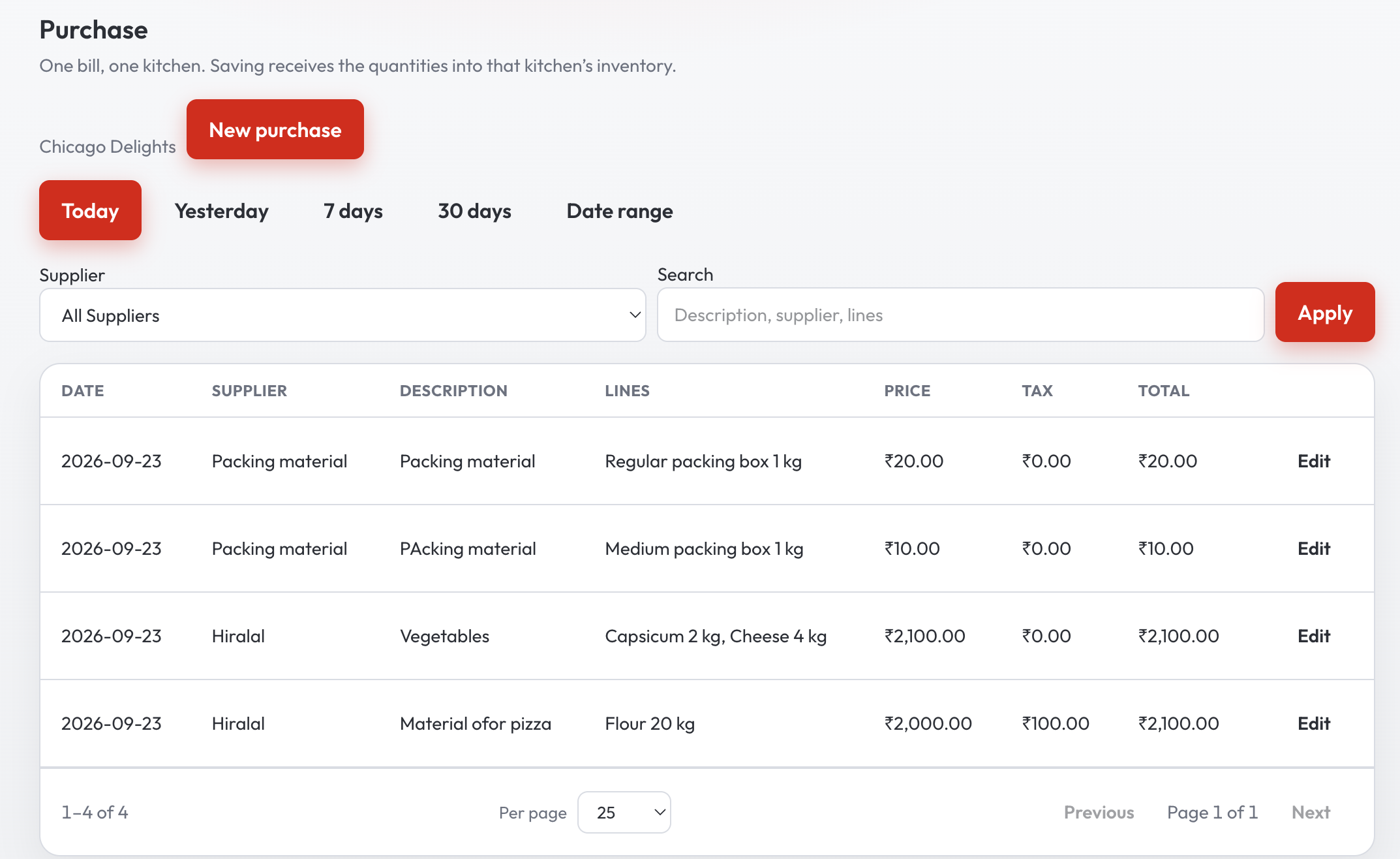
The purchase, on the shelf the same day
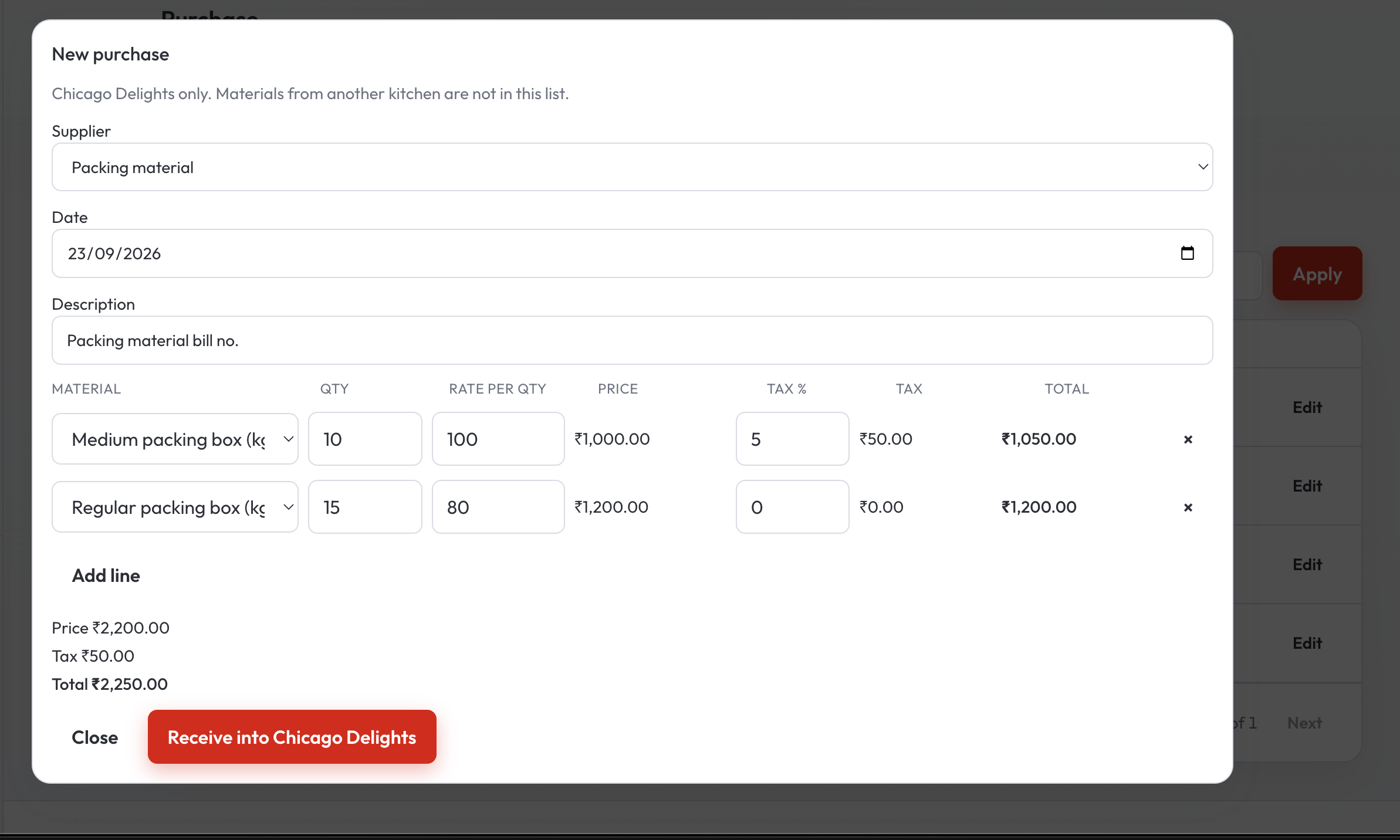
A purchase is the boxes, the flour, the oil — quantity, the rate, and the tax on that line. Saving the bill puts those quantities on hand for that kitchen. Find an old bill by today, yesterday, the week, or a date you pick, and open it again if the delivery was short.
What is still on hand
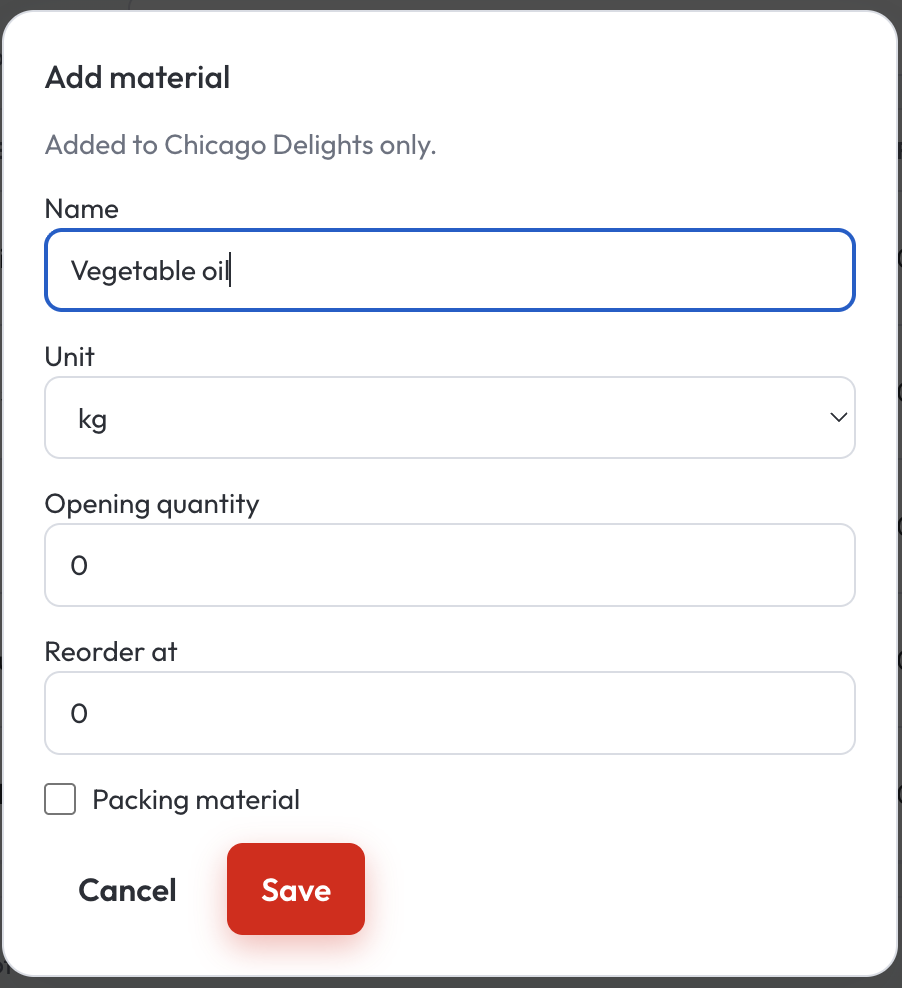
Each material has a name, a unit, and a point where it is time to buy again. Packing for takeaway sits with the rest. When the count is off, adjust it. When a material should leave the list, it can be set aside.
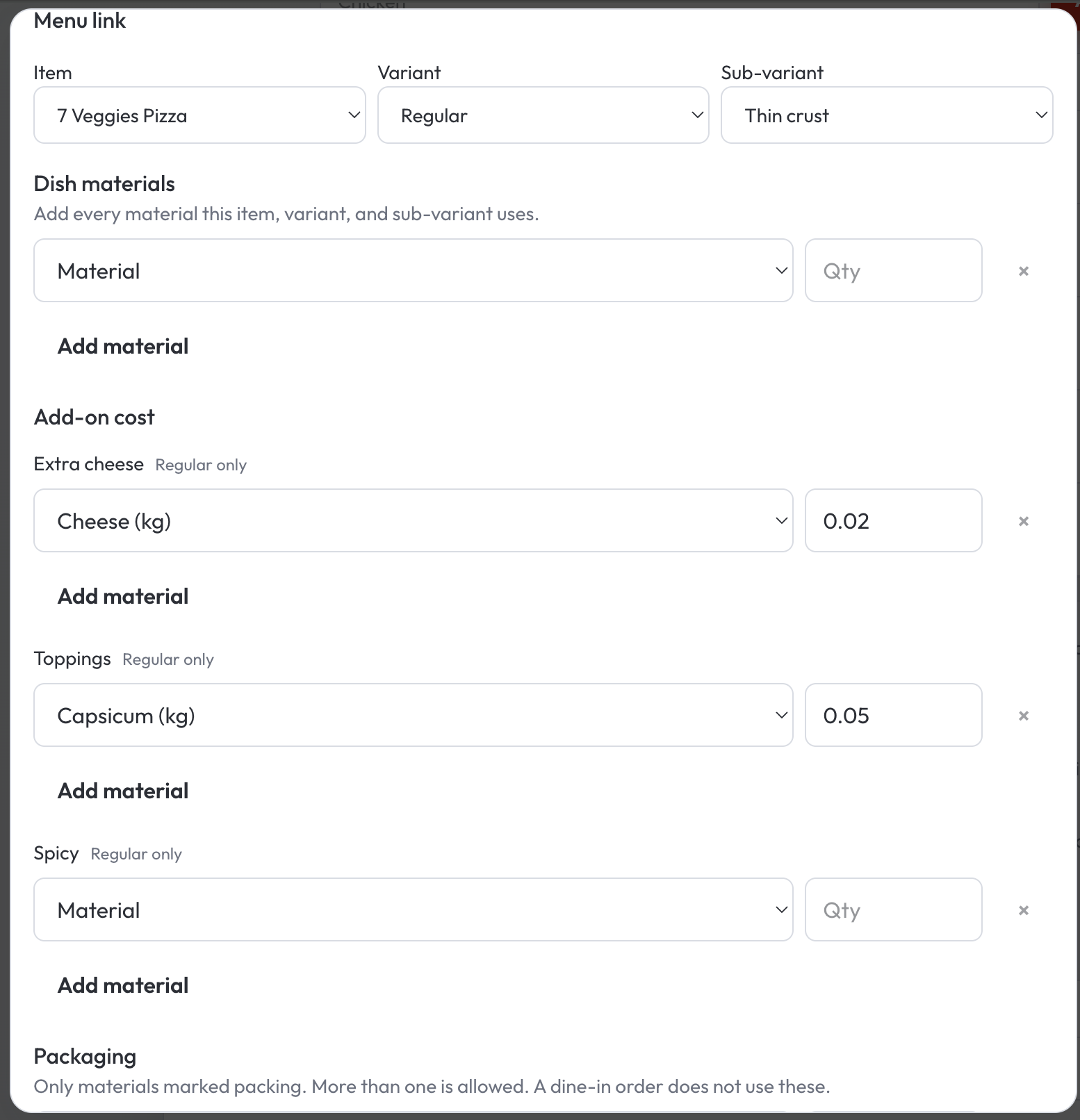
The recipe the sale can use
A pizza, a size, a crust: the dough, the cheese, the capsicum, and the box. The next similar dish can start from that recipe. When the order is completed, QuickKOT keeps what that dish cost from the bills already on the books.
Real time gross profit
Gross Profit is sales without GST, minus the cost of the materials those sales used. The graph draws three bars for the days you choose: sales, material cost, and gross profit. The amounts sit on the vertical axis. Today, the last 7 days, 30 days, or a date range. That is the real time gross profit data. A completed order is on the graph the day the guest paid, while the service is still fresh.
Open a day to see what sold, the discount, and which materials that day used. Search one dish and apply when you want that plate alone. More than one kitchen can be read together, or one kitchen at a time.
The cost is the purchase rate saved when the order is completed. A bill that arrives tomorrow stays with tomorrow. Last night’s completed sales keep the rate they had.
Who this is for
A single kitchen that wants the oil count in the same system as the bill. A hotel floor or a food court where each kitchen buys for itself and the house still wants one gross profit picture. The walk-through of the screens is Complete Inventory Management. Plans for the floor stay on pricing.
Questions from the floor
What is real time gross profit data on QuickKOT?
Gross Profit for the dates you pick: sales without GST, the cost of materials those sales used, and gross profit. The graph draws those three bars. Hover a bar for that day’s sales, material cost, or gross profit. A completed order is on it the day the guest paid. Choose today, the last 7 days, 30 days, or a date range.
How do suppliers and purchase bills reach that number?
Save the supplier once. The next purchase starts from that name. Quantity, rate, and tax go on hand for that kitchen. When a dish with a recipe is completed, QuickKOT keeps the purchase rate from the bills already on the books.
Does a later purchase change last night’s gross profit?
The cost is saved when the order is completed. A bill that arrives tomorrow stays with tomorrow’s purchases. Last night’s completed sales keep the rate they had.
Do I need Inventory Management to run the floor?
The floor runs on the plan: orders, kitchen tickets, and the bill. Inventory Management is the add-on for the store room and for Gross Profit. Write to support@quickkot.com.
More: Inventory Management, Complete Inventory Management, and plans.