Start where the floor actually is
QuickKOT is free POS for restaurants on Basic: take the order, print a KOT, collect cash / card / UPI (or a split), then close the bill. Forty orders a day, one kitchen, one manager, postpaid tickets. You get restaurant details on the bill (name, address, FSSAI, GSTIN), tax rates you control, and completed orders if you need to change payment mode later. Why that kitchen slip exists, in a dining room, a hotel, and a food court: why the kitchen order ticket matters.
When the floor grows, you do not rip the system out. Economy adds kitchen display, tables, discounts, stock alerts, and a full daily report with payment mix at 120 orders a day. Premium starts at two kitchens and three users; extra kitchens are ₹499 / month and extra users ₹199 / month. Enterprise is the same features with five kitchens and ten users by default. The same catalog — station → category → item — stays in place.
Guests who scan a QR, tap a kiosk, or place a Direct Order should not buy the whole day at once. Menu schedule puts Breakfast, Lunch, Snacks, and Dinner on their own weekday hours. Closed QR tiles sit below with the next open time. The kiosk shows only what is on now. The till still sells what the cashier rings.
See the day, not a spreadsheet after close
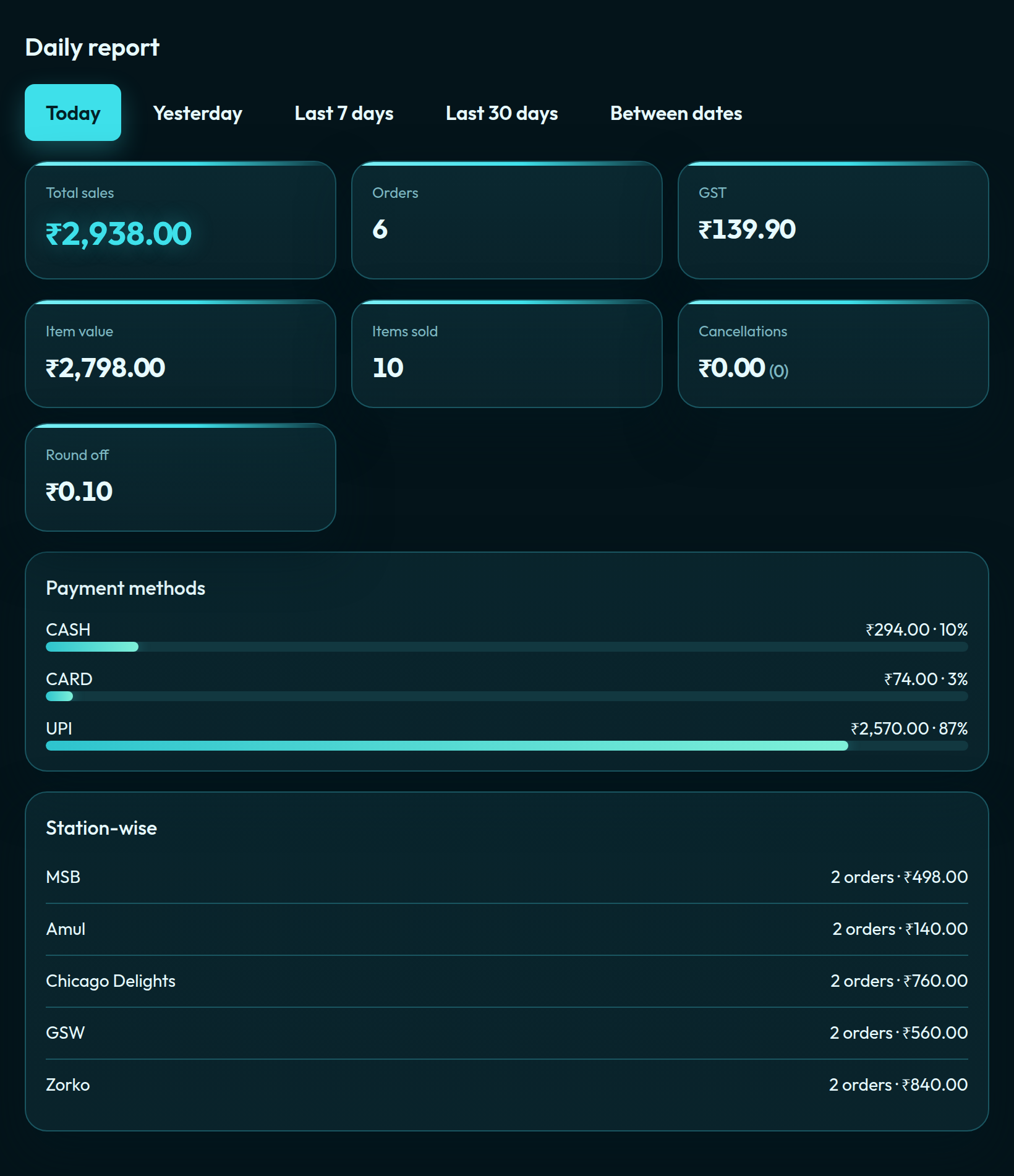
The daily report follows how guests actually paid — UPI, card, cash — plus GST and item value. That is the same report a food court uses station-wise when you add kitchens later.
When one kitchen is no longer enough
Cafés, sweet shops, dhabas, QSR counters, and 20-cover dining rooms start here. If you add a second kitchen in the same room and the guest still expects one bill, that is centralised billing — the food-court / hotel model. If you open a second restaurant in another city, that is Multi-Outlet. A 12-cover café that only needs a few dozen bills a day is the limited-order use case. When the dining room needs two bills at one table, or to move a party to a free four-top, that is merge and split restaurant tables on Economy and above.