The Self ordering Kiosk is a floor stand on the same QuickKOT tickets your kitchen already cooks. This note is how a guest and a counter actually use it during service — not a second POS.
It is an add-on for any plan except Basic. We set the stand and the payment gateway with you. Write to support@quickkot.com. The product page is quickkot.com/kiosk.
What the guest does
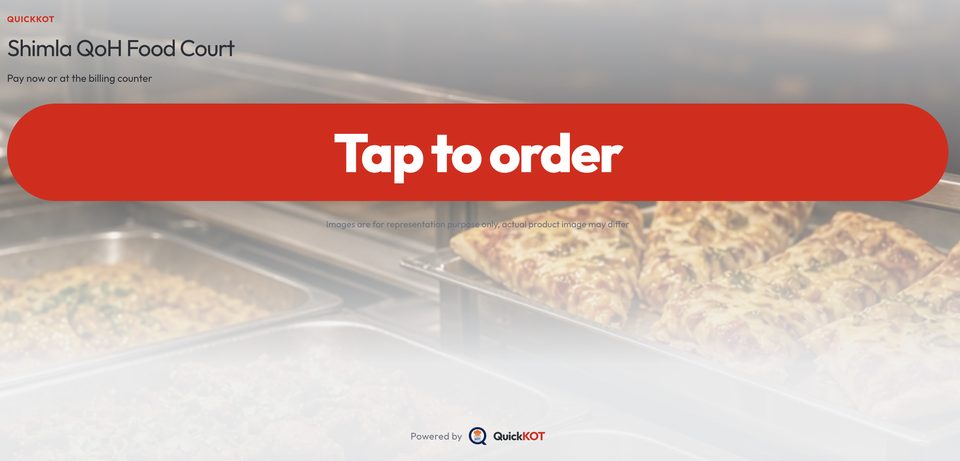
They walk up. The glass says Tap to order large enough to see from across the floor. One tap opens how they will eat: eating here, or taking away.
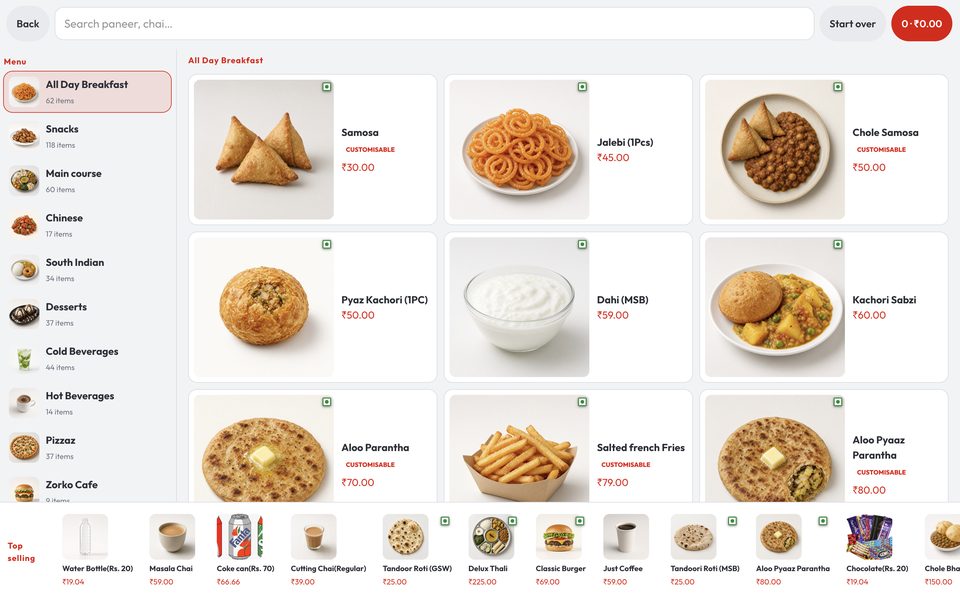
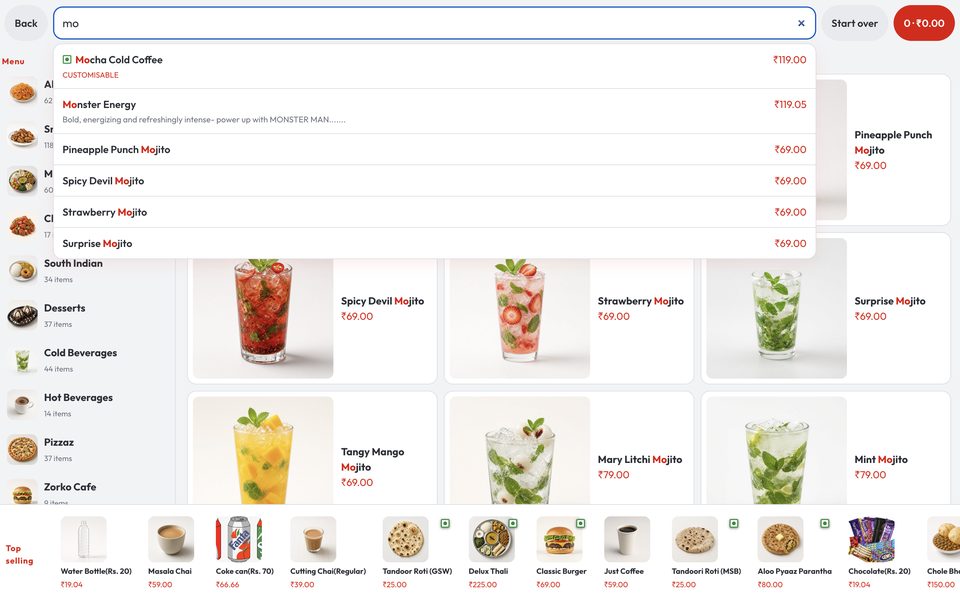
Then the menu. Categories sit on the left. Photos sit in the middle. Top selling sits on the bottom rail so a first-time guest is not lost in a long breakfast list. If they already know the name, they search — “mojito”, “paratha” — and tap the match.
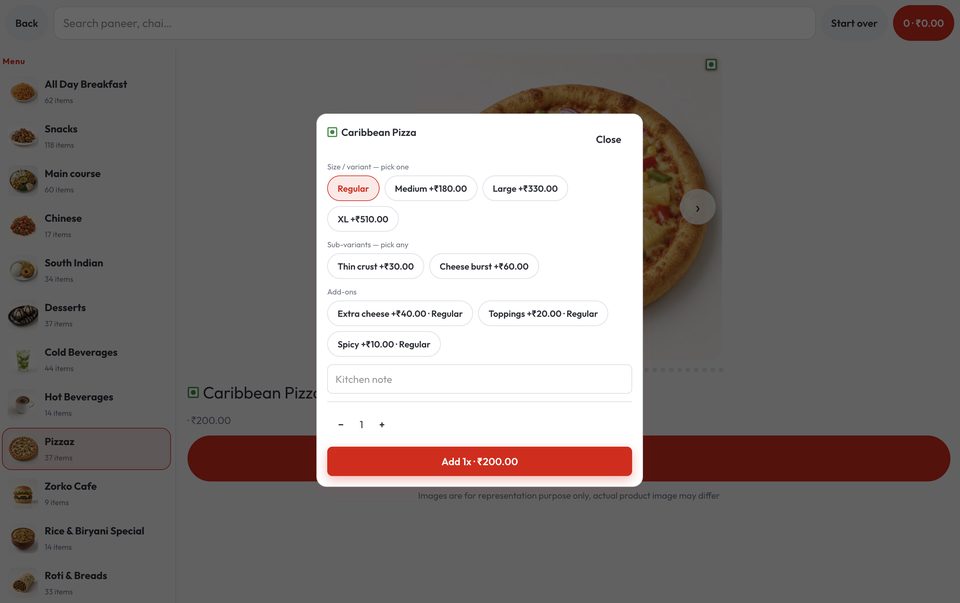
A tap opens the dish. Size, crust, extra cheese, a kitchen note if they need one. Veg / egg / non-veg marks stay on the item. They add it to the order, then open the bag when they are done.
How they pay
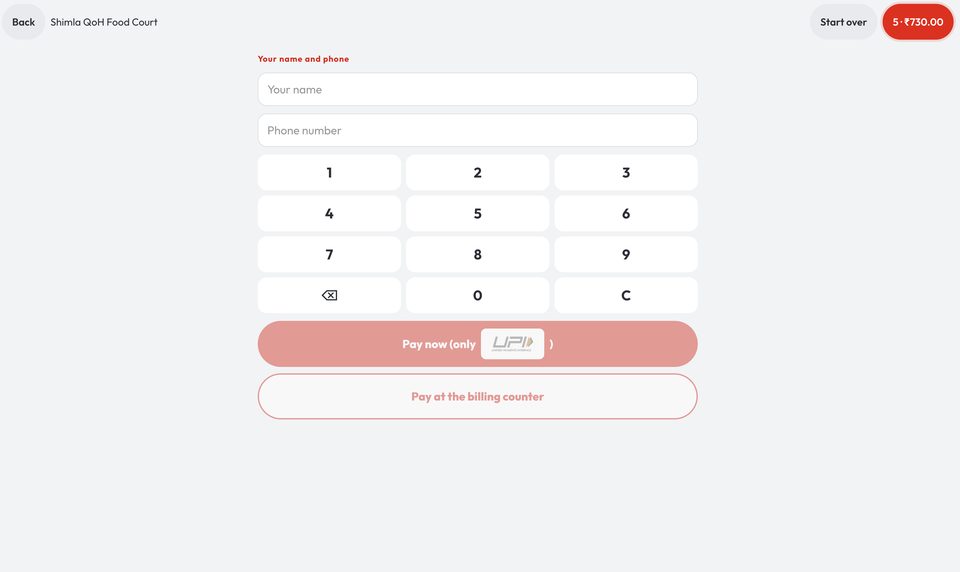
They type a name and a 10-digit phone. Pay now opens the house payment gateway. UPI and card follow what that account has on. Cash is not taken on the stand — they choose Pay at the billing counter and staff take cash there.
A paid stand order is a POS ticket with a Ticket number and a token. The kitchen starts. The guest watches the token display and picks up when it is called.
What the counter and kitchen do
The counter stops typing samosa × 2. Staff call tokens and hand over food. If the guest chose pay at the counter, that ticket is the same draft the POS already knows — collect, then it is a live ticket.
The cook sees the same station lines: variant, add-on, note. Nothing is re-written from a notepad.
Rush hour
One queue that both decides and pays is the slow queue. The stand splits it. People browse and pay. Staff stay on pickup. After idle time the stand returns to Tap to order so the next guest is not staring at someone else’s cart.
Use the stand when the line is at the counter. The QR menu stays the phone path — it is not a payment QR.
More on the Self ordering Kiosk page and the feature note. Get integration: support@quickkot.com.