Free POS for restaurants still starts on Basic at the counter. The Self ordering Kiosk feature is for the Saturday queue: a floor stand that lets the guest pick the dish while the billing counter stays on tokens and pickup.
It is an add-on on Economy, Premium, and Enterprise — not a self-serve toggle, not on Basic. We set the stand and the payment checkout with you. Write to support@quickkot.com.
Restaurant and café automation
The cook should not wait for someone to re-write the order. The guest taps dine-in or takeaway, builds a cart, and the kitchen ticket already has the station, the variant, and the note. Staff keep the counter for bills and food, not for typing samosa × 2.
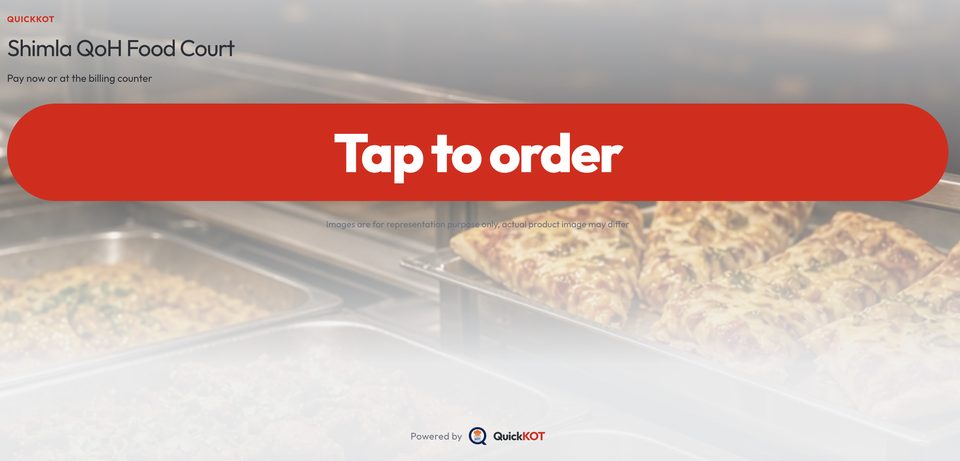
A menu they can actually tap
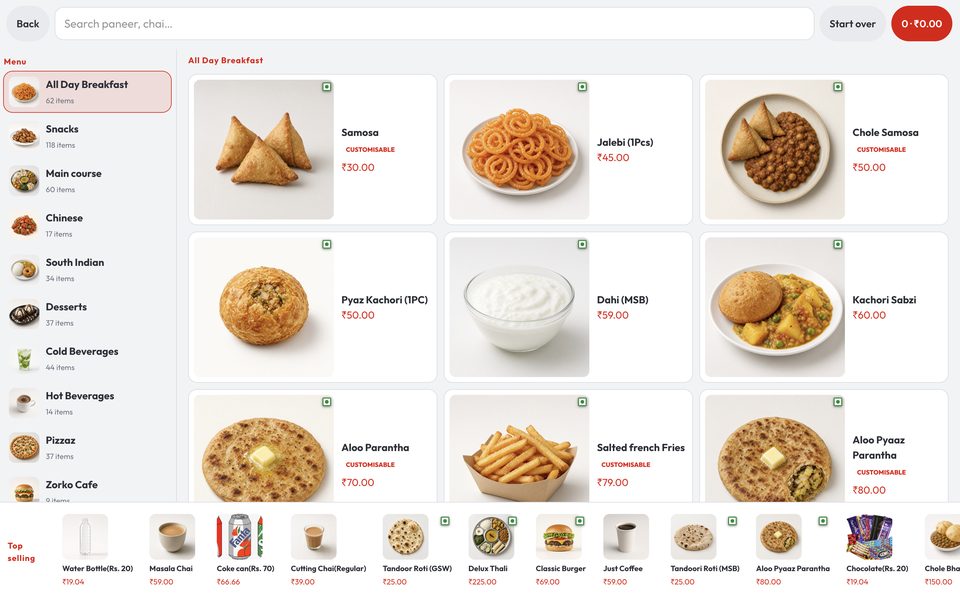
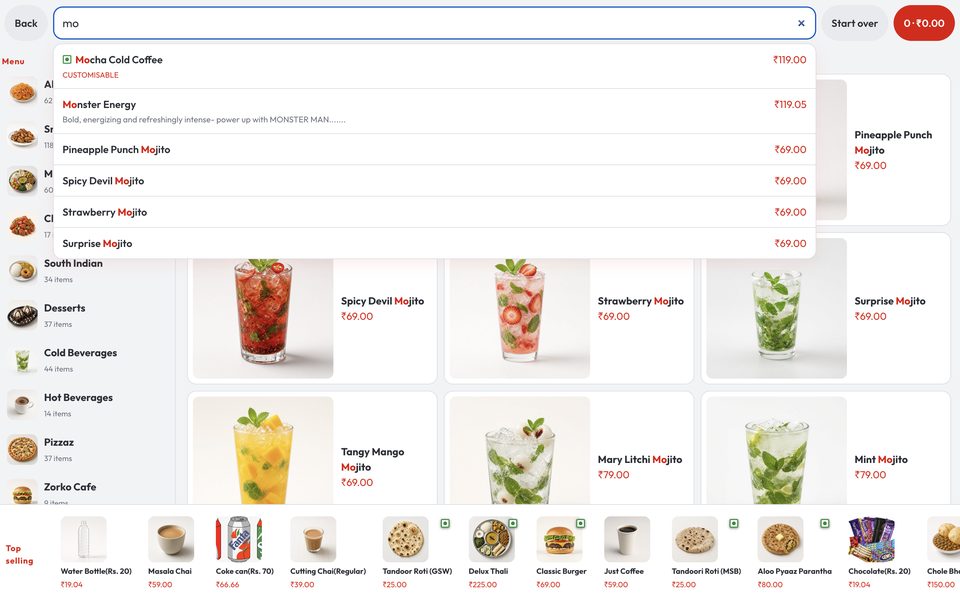
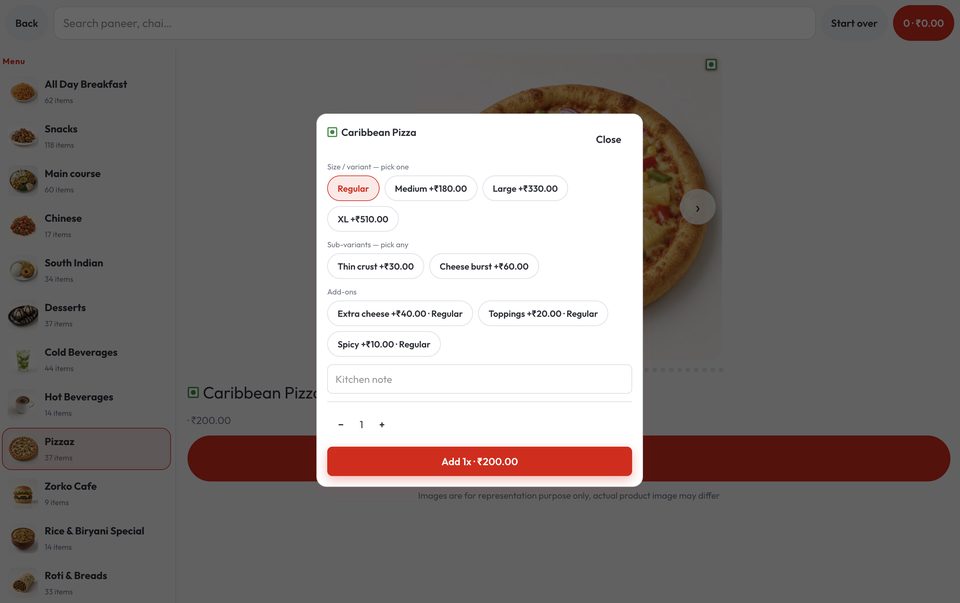
Phone QR is one path. A stand is another: left-hand categories, photo tiles, search when they already know “mojito”, and a tap-through dish for size and add-ons. Veg / egg / non-veg marks stay on the item. Top selling sits on the bottom rail so a first-time guest is not lost in 60 breakfast SKUs.
Ease the rush-hour crowd
One queue that both decides and pays is the slow queue. The stand splits it. People browse and pay. Staff call tokens and hand over food. After idle time the stand returns to Tap to order so the next guest is not staring at someone else’s cart.
Payment you configure
Pay now opens the house payment gateway. UPI and card follow what that account has on. Cash is not taken on the stand — it stays at the billing counter. A paid order is a POS ticket with a token — the kitchen starts, the guest watches the token board.
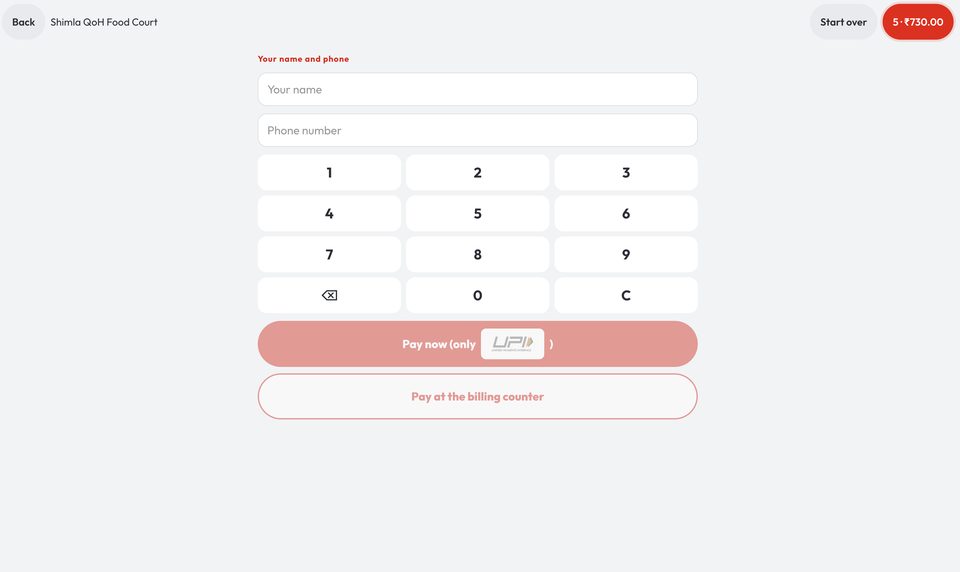
This is not a second POS. It is the same tickets, on a stand, for restaurants and cafés that already run QuickKOT. More on the kiosk page, restaurant POS, and plans.
Get Kiosk menu integration: support@quickkot.com.