Kitchen prep time is the gap every owner already feels and almost nobody writes down: the ticket hit the till, the cook marked ready, and the guest waited in between.
Sales reports answer what sold. They do not answer how long each kitchen took. Without that clock, a slow tandoor hides inside a healthy total, Saturday looks “busy” instead of “under-staffed”, and the manager argues from memory.
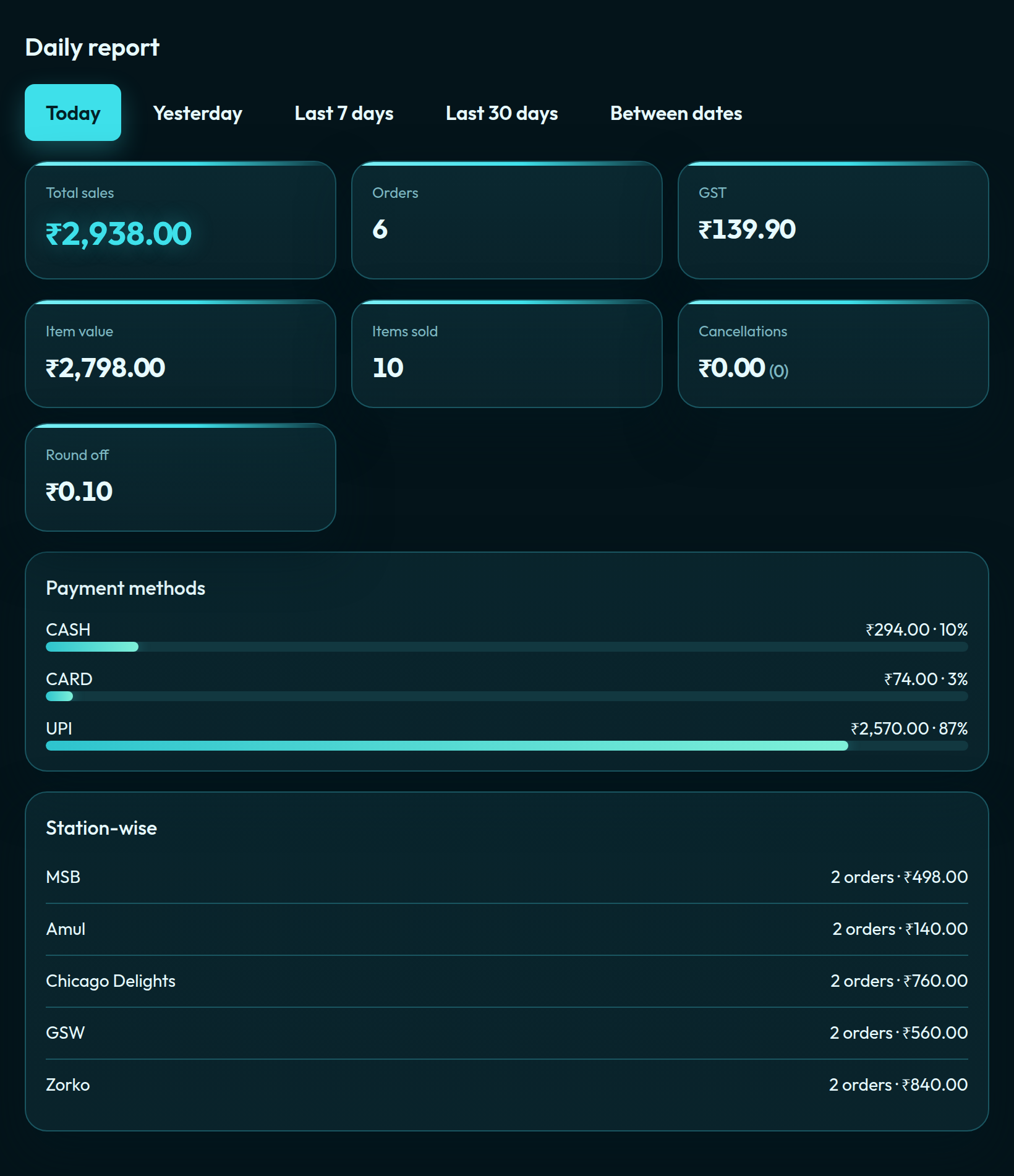
QuickKOT logs the stamp when a station marks an item ready, then shows the average preparation time on Reports — Station-wise, This station, and the house or outlet average.
Why this number matters
A restaurant is a queue with a kitchen in the middle. The guest does not care that you sold ₹1.4 lakh. They care that the biryani took 22 minutes when the board said 12. Owners who only watch sales hire for revenue, not for the pass.
Prep time is the missing operations KPI:
- Which kitchen is the bottleneck on a mixed ticket.
- Whether a new item is too slow for the lunch rush.
- Whether last week’s extra tandoor cook actually moved the clock.
- Whether a food-court stall is holding the whole court’s token board.
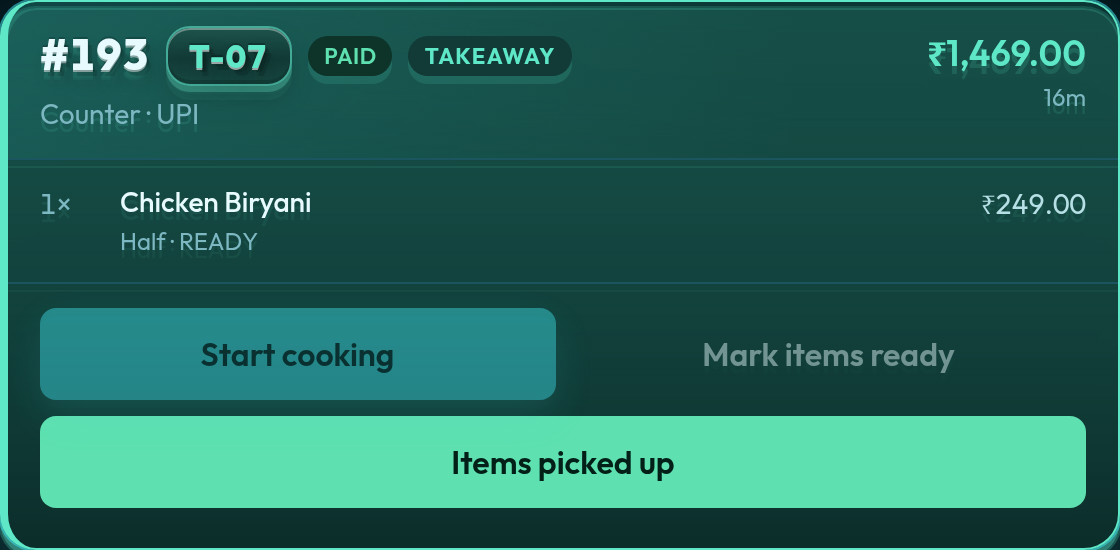
Ticket time already exists on QuickKOT. Prep time is the kitchen’s slice of that ticket: created → station ready. Pickup and serve come after. Those steps must not erase the cook’s stamp, or the report has nothing to average.
The problems it solves
The “busy day” that was actually a slow kitchen
Close of day looks fine. Sales are up. Complaints are also up. Without prep time, the manager blames the cashier or the QR queue. With it, Station-wise shows the grill at 7 minutes and the dum kitchen at 19. That is a staffing and menu problem, not a till problem.
Guessing who needs another cook
Adding a person is expensive. Adding them to the wrong station wastes the hire. Average prep by kitchen tells you where the minutes actually sit — the same split you already trust for station-wise sales. Read the Aqua daily board: sales stay on Reports; prep time sits on the same station rows.
A food court where one stall holds the token
On centralised billing, the guest paid once. Three kitchens cook. Token Display lights when a stall marks ready. If one stall’s average is double the others, the court looks slow even when two counters are clear. House Reports show each stall’s prep next to its sales. The stall login sees This station only — the number they can actually move.
A hotel F&B floor that hides a slow specialty kitchen
Breakfast, coffee shop, and specialty restaurant can share a guest check on hotel POS. Property sales look healthy while room-service eggs sit 25 minutes. Outlet or station average prep makes that visible without a second spreadsheet.
Menu engineering without a stopwatch
A new loaded nacho can wreck Saturday if it owns the fryer. Item-wise sales show it sold. Prep time shows the kitchen paid for those covers in minutes. Owners then decide: keep it for dinner only, pre-prep the sauce, or drop it from the lunch QR menu.
Training that you can prove
“Be faster” is not a briefing. “This station averaged 14 minutes last week and 9 after we changed mise” is. The report is the briefing.
What QuickKOT measures (and what it does not)
The clock starts when the order is created on POS (or when a QR pay becomes a real ticket). It stops when that kitchen marks its lines ready on KDS. A mixed ticket can have two prep times — biryani vs pizza — because each station has its own ready stamp.
It is not table occupancy. It is not time-to-cash. It is not the guest’s full dwell. Those are different questions. Prep time is the kitchen promise: how long from “we have the order” to “you can collect”.
Lines that never reach ready (still cooking, or cancelled) do not enter the average. That keeps a abandoned ticket from looking like a two-hour cook.
How to read it on Reports
- Station-wise — each kitchen’s average for the date range, next to orders, item value, and sales.
- This station — a kitchen login sees only their clock. Useful for the stall manager who should not see the court’s other vendors.
- House / outlet average — one number for the floor or the selected outlet, so a multi-kitchen house can say “we were 11 minutes yesterday”.
Between dates on Reports (and the other order lists) is capped at three months. That is enough for a season review and short enough that one festival week cannot hide inside a year-long smear.
What this is not
It is not a replacement for walking the pass. A 6-minute average can still hide a 20-minute outlier on one ticket. Use the number to ask better questions, then open KDS.
It is not Multi-Outlet performance across cities in one cell. Each outlet has its own tickets. Compare outlets by switching the outlet filter — same idea as station-wise sales. Chain P&L is Multi-Outlet.
A café on Basic still gets tickets and a basic report. Full station-wise (including prep) is Economy and above — the same gate as payment mix. The café use case remains limited orders, one kitchen.
Questions from the floor
What is kitchen prep time on a POS report?
The clock from when the ticket is created to when that kitchen marks its lines ready on the display. It is not table time and not pickup time. QuickKOT averages it per station for the dates you search.
Why do restaurant owners need average prep time if they already have sales?
Sales show what moved. They do not show that the tandoor is 18 minutes behind the grill, or that Saturday lunch doubled cook time. Prep time is the operations number: staffing, menu load, and guest wait.
Does prep time include serving the guest?
No. The stamp is kitchen mark-ready. Pickup and served keep that stamp so the report still has a history after the token leaves the board.
Can a food court or hotel compare kitchens?
Yes. Station-wise shows each kitchen’s average. This station shows one kitchen’s login. The house or outlet view also shows a blended average across kitchens that marked ready in the range.
More: restaurant POS, food court POS, hotel POS, and plans.
Self-serve signup is opening soon. Leave your details at app.quickkot.com/signup, see plans, or write to support@quickkot.com.