Saturday lunch, one password on a slip under the counter. The person on the bill can also void a ticket, open the store, and change the tax. The cook who only needed the next card has the same keys as the owner. A food court stall can see the court. A hotel kitchen can see the other restaurant. A second city can see the first.
The floor does not fail because the software is short of buttons. It fails because one login was asked to be the cashier, the cook, the stall, and the head office.
What one login costs
The café
Two people, one password. The person pulling coffee can open Plan information. The person on the counter can mark a line ready that they never cooked. When someone leaves, the password stays, because changing it locks the other person out.
The dining room
The bill and the pass are different jobs. Payment, a discount, and a void belong at the counter. The ticket, the ready state, and the pickup belong at the kitchen. One login makes both people wait for the same screen.
The food court
The guest wants one bill. The pizza stall must not cook the biryani. A shared login either shows every stall every line, or it splits the guest into two bills so the stalls can stay apart. Both are the wrong trade.
The chain
Two cities on one check is not a brand. It is a mixed day. The cashier in one city must not void a ticket in the other, and the bills must not share one GSTIN because the login was convenient.
The hotel
Coffee, the all-day restaurant, and the bar can share a guest who will not wait for three bills. They cannot share a kitchen ticket. Room service does not need the bar’s lines, and the house does not need each cook to open the hotel’s tax settings.
A café and a small restaurant
This is a single kitchen. One cook line, one bill. Basic is free POS for restaurants: one Manager, the order, the kitchen ticket, and the bill. That is enough when one person runs the floor.
Economy adds a second login. Use it for a Cashier when the extra person takes payment, or for a Kitchen Manager when they should see the kitchen and not the bill. The Manager still runs the house: POS, reports, the menu, and settings. The Cashier’s settings stop at their own password. They do not open inventory.
The Kitchen Manager has the kitchen screens a Centralised station manager has: KDS, reports for that kitchen, kitchen items, and completed and cancelled tickets. They do not collect payment. When that kitchen has Inventory Management, the Manager and the Kitchen Manager can open it. The add-on is not required to take an order, and it is not part of Basic.
A dining room with one pass is the same split. Tables, a transfer, and a split bill stay with the people who take payment. The kitchen login does not need the table grid to cook the ticket.
A food court
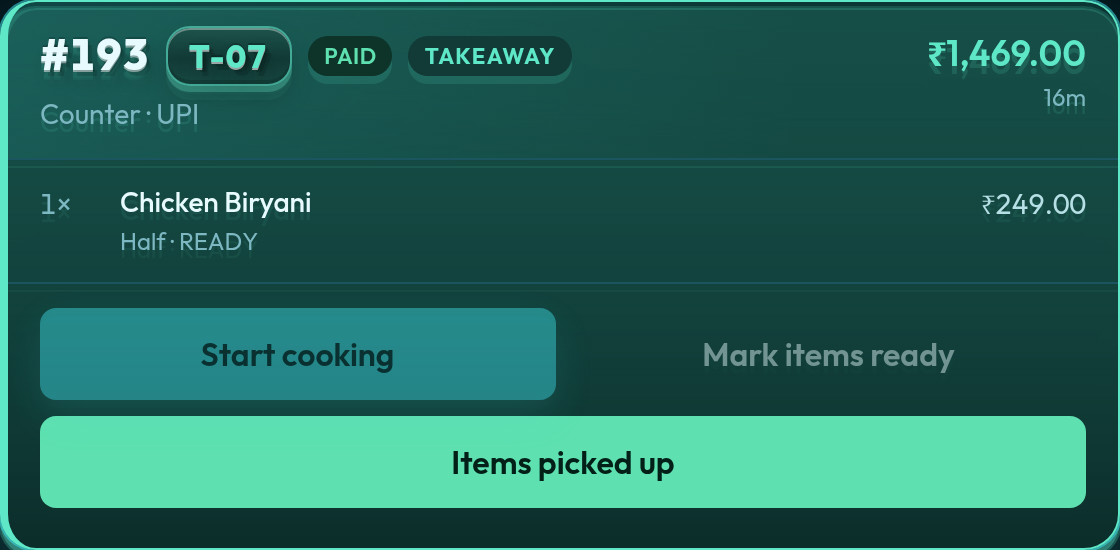
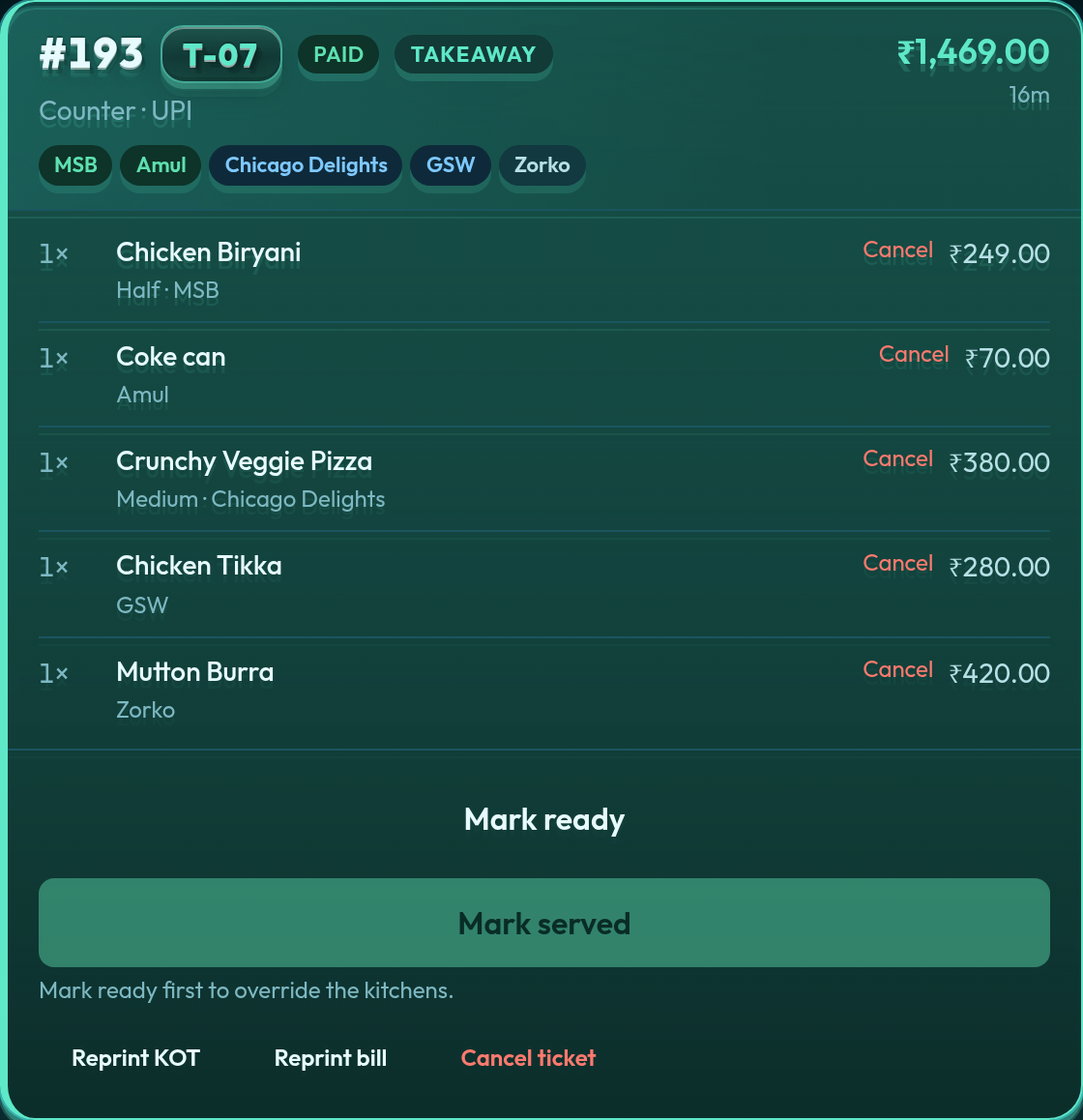
A court is not a bigger café. The guest still pays once. Each stall cooks only its own lines. That is Centralised billing on Premium or Enterprise, not Multi-Outlet.
The house Manager rings the guest bill and sees every stall on one card. Mark served waits until every stall has handed the food off. That Manager does not hold a kitchen inventory of their own. Stock, when a stall has Inventory Management, stays with that stall.
Each stall invites a Station manager. That login is KDS, reports, and kitchen items for that stall only. A grill ticket does not appear on the pizza tablet. They do not take the guest’s payment. A Station sub manager is narrower: KDS and kitchen items only. The court Cashier takes payment and stops there.
The button-by-button lesson is Users and roles. The first week on a court is Premium, centralised billing. The public page is food court POS.
A chain or a franchise
A second restaurant in another neighbourhood is not a second kitchen on the same bill. It is Multi-Outlet. Each location has its own menu, its own order numbers, and its own bills. Head office can look. It does not run the other city’s tickets.
The head-office Manager keeps catalog and tickets for head office. Reports can switch to a location. When Inventory Management is on and there is more than one location, that Manager’s inventory is the head-office kitchen only.
The Outlet manager runs that location: POS, the bill header, tax, the outlet’s users, and that location’s inventory when it has the add-on. The Outlet cashier takes payment at that counter and does not open inventory. A Kitchen Manager is not an outlet login. Confirming Multi-Outlet does not turn Kitchen Managers into station managers. That conversion is only for confirmed Centralised billing.
More on the walls between locations: POS for restaurant chains and a chain with its own POS at each location.
A hotel with several kitchens
Coffee, the restaurant, and the bar are Centralised billing again: one guest, one invoice, a kitchen ticket per kitchen. It is the same shape as the food court, inside one property. It is not the chain model. If each restaurant is a different company that must not share a bill, that property wants Multi-Outlet instead.
The house Manager sees the whole ticket. Each kitchen’s Station manager sees only that kitchen. The cashier at the desk takes payment. None of those kitchen logins open the hotel’s tax settings or another kitchen’s stock. The hotel page is hotel POS with centralised billing.
How QuickKOT keeps the split
The login follows the job, and the job follows the floor.
- Single kitchen — Manager, Kitchen Manager, Cashier. The Manager still has inventory when that kitchen has it. The Cashier does not.
- Centralised billing — Manager, Station manager, Station sub manager, Cashier. The house Manager does not keep a kitchen inventory. When a single kitchen confirms Centralised billing, each Kitchen Manager becomes the Station manager of the first kitchen.
- Multi-Outlet — head-office Manager, Outlet manager, Outlet cashier. Locations do not share a guest bill.
Only POS where you pay for only what you need. A café can stay on one Manager. A court adds stall logins when there are stalls. A chain adds a location when there is a location. Inventory Management is the add-on for the store room, not a ticket the cook must open before the order exists.
The screens, in the order you invite people, are Users and roles — single kitchen, Centralised billing, Multi-Outlet. Plans for the floor stay on pricing. Write to support@quickkot.com.
Questions from the floor
Why does a café need more than one login?
Basic is one Manager. Economy adds a second person so the counter and the kitchen do not share that password. A Cashier takes payment and can change only their own password. A Kitchen Manager sees that kitchen’s tickets and does not open the bill. Inventory Management, when the kitchen has it, stays with the Manager and the Kitchen Manager.
How is a food court different from a restaurant chain on QuickKOT?
A food court uses Centralised billing: one guest bill, and each stall login sees only its own lines. A chain uses Multi-Outlet: each location has its own menu, order numbers, and bills. Head office can look at a location. It does not put two cities on one check.
What happens to Kitchen Managers when the house confirms Centralised billing?
Each Kitchen Manager becomes a Station manager of the first kitchen. That happens when a single kitchen confirms Centralised billing, from Economy or on Premium or Enterprise. Choosing Multi-Outlet does not convert them.
Does a cashier see inventory?
No. A Cashier and an Outlet cashier take payment and can change only their password. They do not open Inventory. Inventory Management is a separate add-on, and it is not required to take an order.