Free POS for restaurants: a small kitchen in India does not need a mall-sized till. It needs the kitchen ticket (KOT) to hit the cook before the guest sits down, a GST bill that will survive a casual inspection, and a till that the same two people can run at 1pm on Saturday.
Start where the floor actually is
QuickKOT is free POS for restaurants on Basic: take the order, print a KOT, collect cash / card / UPI (or a split), then close the bill. Forty orders a day, one kitchen, one manager, postpaid tickets. You get restaurant details on the bill (name, address, FSSAI, GSTIN), tax rates you control, and a completed-orders list if you need to change payment mode later.
When the floor grows, you do not rip the system out. Economy adds kitchen display, tables (capped), discounts, stock alerts, and a full daily report with payment mix. Premium starts at two kitchens and three users; extra kitchens are ₹499 / month and extra users ₹199 / month. Enterprise is the same features with five kitchens and ten users by default. The same catalog — station → category → item — stays in place.
Tickets the cook can actually work
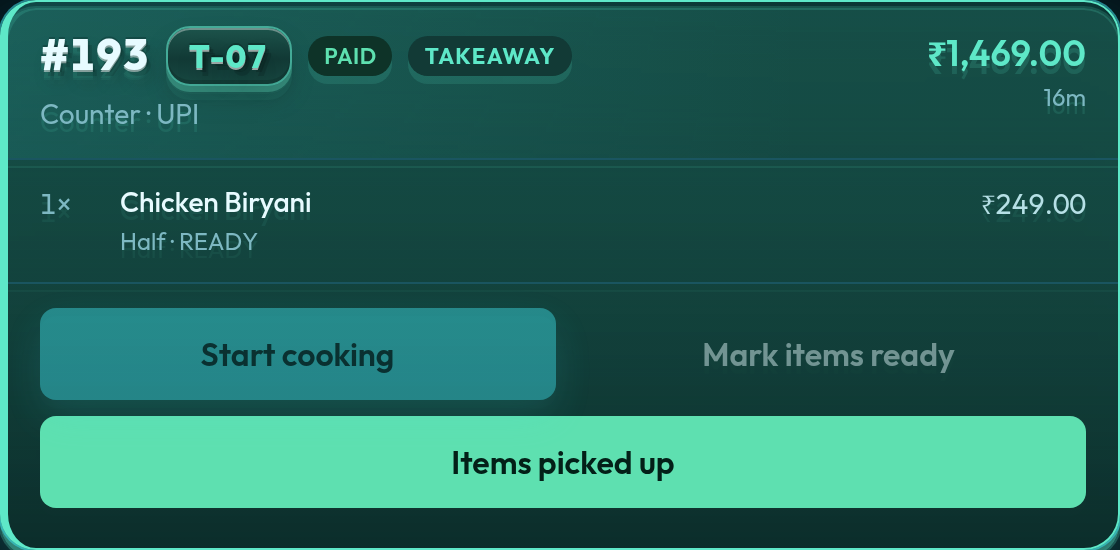
On Economy and above, kitchen display is the running ticket board. Variants, notes, and quantity sit on the card. One kitchen is enough for a café, a sweet shop, or a 20-cover dining room — the same ticket model later scales to food courts and hotels.
See the day, not a spreadsheet after close
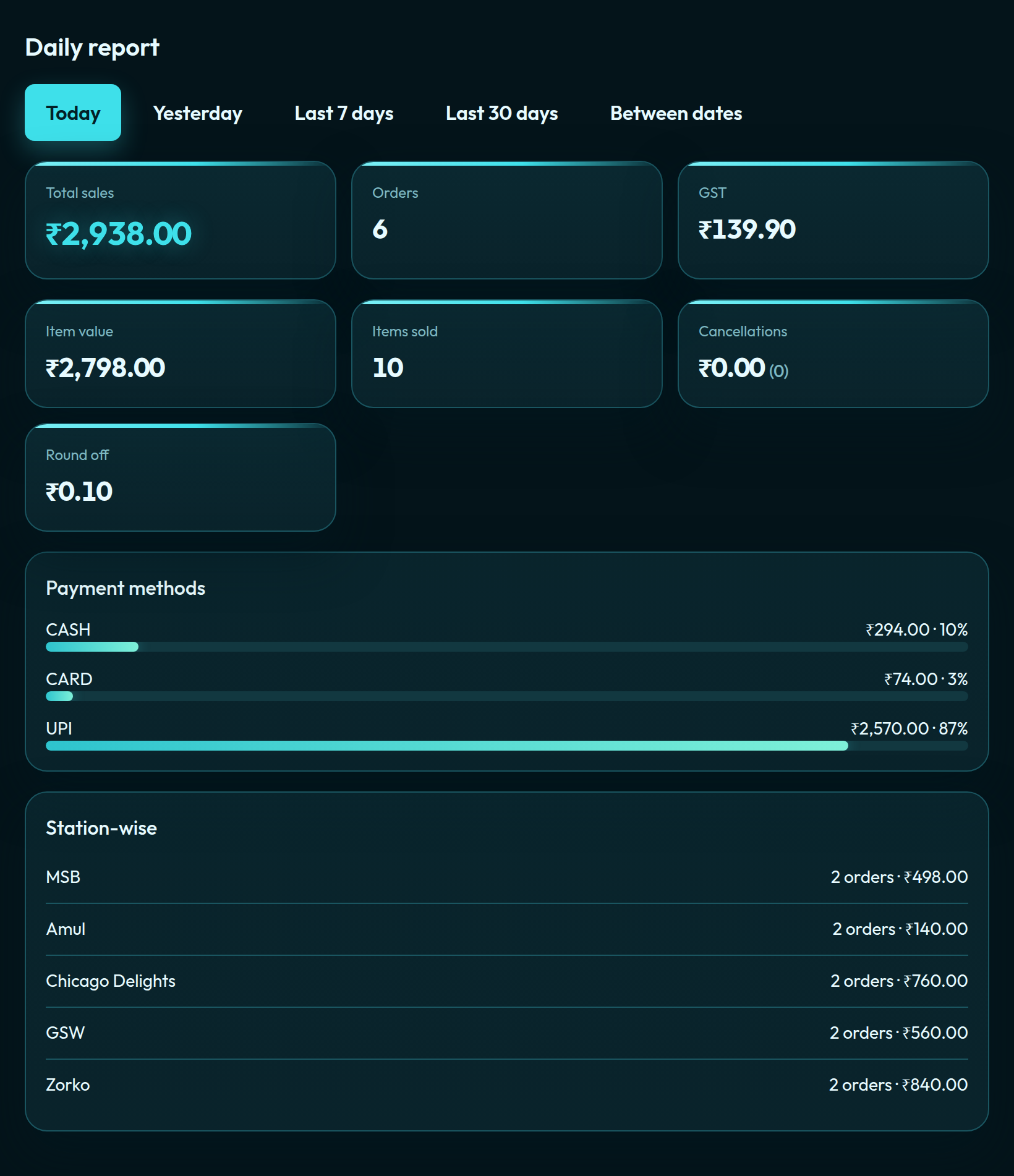
The daily report follows how guests actually paid — UPI, card, cash — plus GST and item value. That is the same report a food court uses station-wise when you add kitchens later.
What a small restaurant can skip
You do not need Multi-Outlet, token display, or a food-court kitchen list on day one. Basic and Economy stay on one kitchen and centralised billing. Set the restaurant profile (so the bill is legal), add categories and items, take the first order. If 40 covers a day is tight, Economy lifts the cap to 120 and turns on KDS.
See also: restaurant POS, a small café on Basic, food court POS with centralised billing, and plans.
Self-serve signup is opening soon. Leave your details at app.quickkot.com/signup, see plans, or write to support@quickkot.com.